My Digital Travel Setup for Field Service
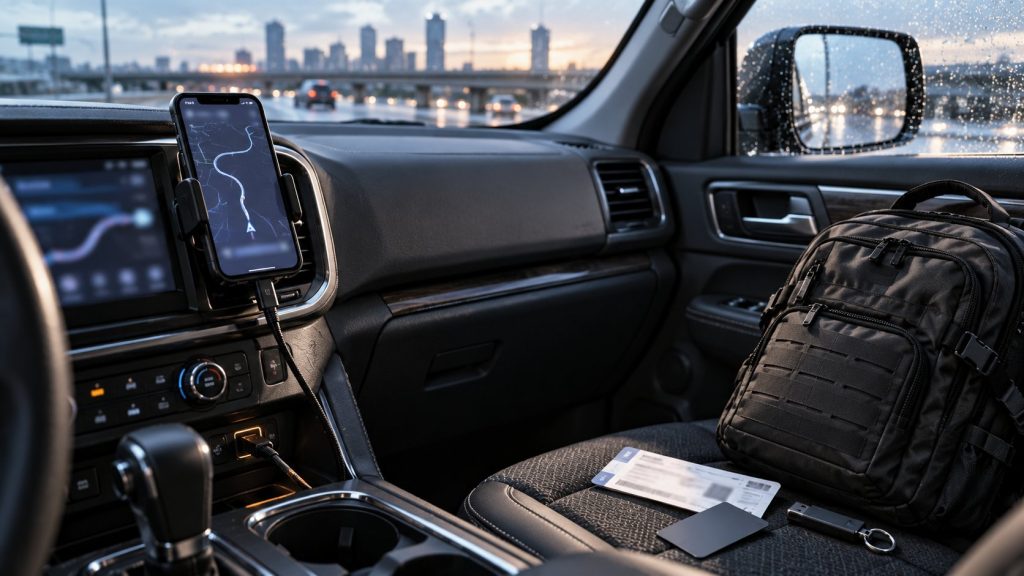
At airports, I keep noticing how little paper I pull out of my bag these days. Gate, seat, rental car, hotel, card transactions: most of it lives on my phone. Not because I want to install every new travel app going. Quite the opposite. When I am on an assignment, I do not want to hunt for a booking number or wonder whether my gate changed again.
My iPhone has become the control centre for the travel side of the job. Alongside it, I carry a USB stick with a small private setup for the laptop. Both do the same job: get me to the information I need quickly without mixing personal and work life.
The phone handles the trip
Navigation and road conditions
Google Maps is my main navigation app. With changing customer sites, it is probably the most important app I use. Put in the address, drive, done. The route on the screen is only part of the story, though. Traffic queues, road works, closures, fog and icy roads can change the day very quickly.
That is why I also run a traffic-information and hazard-alert app alongside navigation. It adds road-condition information that is useful before you find yourself at the end of a queue or stuck in a closure. I am less interested in a particular brand than in having another source for current conditions. Any functions that are not permitted where I am driving stay switched off.
In the car, I connect the iPhone to Apple CarPlay with a cable. I keep a Ugreen universal phone holder, a two-metre USB-C cable and a small USB-A-to-USB-C adapter with me because rental and company cars rarely have the same ports. The cable keeps the phone charged and means I do not have to pair contacts or other data wirelessly with every unfamiliar car. If the phone does fail, the car’s own navigation will have to do. I do not turn it into a survival exercise.
Flight, hotel and rental car in one place
When I fly, I install the airline app for the carrier I am using. It sounds obvious, but it regularly saves time. With a tight connection, I do not want to search old emails for a booking number or stare at an airport display waiting for an update. Gate changes, departure times and baggage status are on the phone. The exact features vary by airline and route, of course, but the live flight information alone is worth having.
The same goes for hotel and car-rental apps. I tend to stay with preferred chains because bookings, status and points sit in one place. The useful part on the road is often much more practical: open the reservation, find the address, check in or head straight for the car after landing. In the US, my status and the right app have let me skip the counter, choose a car and walk out to the parking area. It does not work the same way everywhere in Europe, but the app is still quicker than a printed reservation.
Hotel apps can do more than show a reservation too. Some properties support digital room keys, others do not. When it works, it is convenient. No hunting for the key card and no trip back to reception because it stayed in the room. I would not rely on it blindly, but I am happy to use it when it is available.
Booking portals and holiday-rental apps are my fallback. If a preferred chain is not near the site, the stay is longer, or another place simply suits the trip better, I do not force loyalty. I need a sensible place to stay, and I want the important details in one place.
Banking and cloud storage: staying on top of things
A banking app belongs on my travel phone. I do not use it to stare at my balance all day. I use it to keep an eye on card charges. Travel creates plenty of small transactions: hotel deposits, fuel, rental cars, meals, perhaps a charge I cannot immediately place. The sooner I spot something wrong, the better.
I also keep personal money and expenses separate. It is not a complicated system, but it makes reporting easier and gives me a clearer view. Which bank or card someone uses is secondary. The useful part is seeing transactions reliably and being able to act if something looks wrong.
I keep the same separation with files. Work documents belong in the company cloud approved by the employer. Personal photos, documents and other private material go in my own cloud. That makes it easier to move what I need between phone and laptop without private files ending up on the work machine or company data on private storage. Employer IT rules come first.
The laptop stays for work, the USB stick stays personal
I do not try to turn the laptop into a second phone. It is there for work. For personal things, I carry a USB stick with a compact portable setup: a separate browser, email client, password manager, and basic word-processing and spreadsheet tools.
That is enough for me. In a hotel in the evening, I can check private email, look something up or deal with a document without leaving private logins and files in the normal work browser or on the company laptop. I wrote about the technical side of my PortableApps setup in more detail here: The USB Stick That Keeps Your Private Laptop in Your Pocket.
The stick is not a way around company policy. Work data still belongs in the systems provided for it. I use it to keep the personal side small, tidy and separate.
Less searching, more getting on with the job
My travel setup is not a list of a hundred must-have apps. It is a handful of categories that remove friction on the road: navigation, road conditions, flights, hotels, car rental, banking, cloud storage and a private setup on a USB stick.
The useful bit is not that the phone can do everything. It is that I do not have to start from scratch every time. The booking is there. The gate is there. The address is there. The card is charged. And once the working day is over, personal things stay personal while the company laptop remains just that: a company laptop.